To save content items to your account,
please confirm that you agree to abide by our usage policies.
If this is the first time you use this feature, you will be asked to authorise Cambridge Core to connect with your account.
Find out more about saving content to .
To save content items to your Kindle, first ensure no-reply@cambridge.org
is added to your Approved Personal Document E-mail List under your Personal Document Settings
on the Manage Your Content and Devices page of your Amazon account. Then enter the ‘name’ part
of your Kindle email address below.
Find out more about saving to your Kindle.
Note you can select to save to either the @free.kindle.com or @kindle.com variations.
‘@free.kindle.com’ emails are free but can only be saved to your device when it is connected to wi-fi.
‘@kindle.com’ emails can be delivered even when you are not connected to wi-fi, but note that service fees apply.
In the preceding chapters of this book we have dealt extensively with equilibrium properties of a wide variety of models and materials. We have emphasized the importance of insuring that equilibrium has been reached, and we have discussed the manner in which the system may approach the correct distribution of states, i.e. behavior before it comes to equilibrium. This latter topic has been treated from the perspective of helping us understand the difficulties of achieving equilibrium. The theory of equilibrium behavior is well developed and in many cases there is extensive, reliable experimental information available.
In this chapter, however, we shall consider models which are inherently non-equilibrium. This tends to be rather uncharted territory. For some cases theory exists, but it has not been fully tested. In other situations there is essentially no theory to rely upon. In some instances the simulation has preceded the experiment and has really led the way in the development of the field. As in the earlier chapters, for pedagogical reasons we shall concentrate on relatively simple models, but the presentation can be generalized to more complex systems.
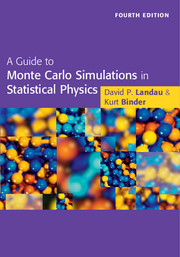
Dealing with all aspects of Monte Carlo simulation of complex physical systems encountered in condensed-matter physics and statistical mechanics, this book provides an introduction to computer simulations in physics. This fourth edition contains extensive new material describing numerous powerful algorithms not covered in previous editions, in some cases representing new developments that have only recently appeared. Older methodologies whose impact was previously unclear or unappreciated are also introduced, in addition to many small revisions that bring the text and cited literature up to date. This edition also introduces the use of petascale computing facilities in the Monte Carlo arena. Throughout the book there are many applications, examples, recipes, case studies, and exercises to help the reader understand the material. It is ideal for graduate students and researchers, both in academia and industry, who want to learn techniques that have become a third tool of physical science, complementing experiment and analytical theory.
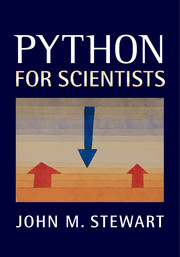
Python is a free, open source, easy-to-use software tool that offers a significant alternative to proprietary packages such as MATLAB® and Mathematica®. This book covers everything the working scientist needs to know to start using Python effectively. The author explains scientific Python from scratch, showing how easy it is to implement and test non-trivial mathematical algorithms and guiding the reader through the many freely available add-on modules. A range of examples, relevant to many different fields, illustrate the program's capabilities. In particular, readers are shown how to use pre-existing legacy code (usually in Fortran77) within the Python environment, thus avoiding the need to master the original code. Instead of exercises the book contains useful snippets of tested code which the reader can adapt to handle problems in their own field, allowing students and researchers with little computer expertise to get up and running as soon as possible.
In order to use Python we need to install at least two distinct types of software. The first type is relatively straightforward, consisting of core Python itself, and associated packages, and is discussed in Section A.1 below. The second type addresses a much more complex issue, the interaction of human and machine, i.e., how to instruct the machine to do what we want it to do. An optimal resolution depends in part on what other computer software you wish to use. Some pointers are offered in Section A.2.
Most users of Matlab or Mathematica never see these issues. Invoking either application sets up an editor window or notebook, and an integrated editor accepts instructions from the keyboard. Then a key press invokes the interpreter, and delivers the desired output with an automatic return to the editor window. They obviously get top marks for immediate convenience and simplicity, but in the long term they may not win out on efficiency and versatility.
Installing Python packages
As has been outlined in Section 1.2, we shall need not only core Python, but also the add-on packages IPython (see Chapter 2), numpy, scipy (packages discussed in Chapter 4), matplotlib (see Chapter 5) and potentially mayavi (discussed in Chapter 6). Although data analysis is merely mentioned in Section 4.5, that section recommends the pandas package, and for many this will be a must-have.
The title of this book is “Python for Scientists”, but what does that mean? The dictionary defines “Python” as either (a) a non-venomous snake from Asia or Saharan Africa or (b) a computer scripting language, and it is the second option which is intended here. (What exactly this second definition means will be explained later.) By “scientist”, I mean anyone who uses quantitative models either to obtain conclusions by processing pre-collected experimental data or to model potentially observable results from a more abstract theory, and who asks “what if?”. What if I analyze the data in a different way? What if I change the model? Thus the term also includes economists, engineers, mathematicians among others, as well as the usual concept of scientists. Given the volume of potential data or the complexity (non-linearity) of many theoretical models, the use of computers to answer these questions is fast becoming mandatory.
Advances in computer hardware mean that immense amounts of data or evermore complex models can be processed at increasingly rapid speeds. These advances also mean reduced costs so that today virtually every scientist has access to a “personal computer”, either a desktop work station or a laptop, and the distinction between these two is narrowing quickly. It might seem to be a given that suitable software will also be available so that the “what if” questions can be answered readily. However, this turns out not always to be the case.
In this final chapter, we present an extended example or “case study” of a topic which is relevant to almost all of the theoretical sciences, called multigrid. For many, multigrid is a closed and forbidding book, and so we first look at the type of problems it can be used to solve, and then outline how it works, finally describing broadly how it can be implemented very easily in Python. The rest of the chapter fleshes out the details.
In very many problems, we associate data with points on a spatial grid. For simplicity, we assume that the grid is uniform. In a realistic case, we might want a resolution of say 100 points per dimension, and for a three-dimensional grid we would have 106 grid points. Even if we store only one piece of data per grid point, this is a lot of data which we can pack into a vector (one-dimensional array) u of dimension N = O(106). These data are not free but will be restricted either by algebraic or differential equations. Using finite difference (or finite element) approximations, we can ensure that we are dealing with algebraic equations. Even if the underlying equations are non-linear, we have to linearize them (using, e.g., a Newton–Raphson procedure, see Section 9.3) for there is no hope of solving such a large set of non-linear equations.
This sounds like software produced by Apple, but it is in fact a Python interpreter on steroids. It has been designed and written by scientists with the aim of offering very fast exploration and construction of code with minimal typing effort, and offering appropriate, even maximal, on-screen help when required. Documentation and much more is available on the website. This chapter is a brief introduction to the essentials of using IPython. A more extended discursive treatment can be found in, e.g., Rossant (2013).
IPython comes with three different user interfaces, terminal, qtconsole and notebook. If you have installed the recommended EPD distribution, then all three should be available to you. For the last two, additional software might be needed if you have used a different distribution. You can check what versions are available for your installation by issuing (at the command line) first ipython followed by the “return” key (RET). You can escape from IPython by typing exit followed by RET in the interpreter. Next try out the command ipython qtconsole following a similar strategy. Finally, try out the command ipython notebook. This should open in a new browser window. To escape from the third, you need CTL-C at the command line, plus closing the browser window. What is the difference between them?
Built into IPython is the GNU readline utility. This means that on the interpreter's current line, the left- and right-arrow keys move the cursor appropriately, and deletion and insertion are straightforward.
In this chapter, we present two rather different topics, which we have linked together. First we shall study some initial value problems and initial-boundary value problems, where the forward-in-time integration is handled by the “method of lines”. We can treat the spatial derivatives by one of two methods:
finite differencing, the standard approach, which is discussed in every textbook, and some aspects of which will be treated in the next chapter,
spectral methods which, for smooth solutions, will give near exponential accuracy.
For simplicity, we shall study only scalar partial differential equations in one spatial dimension, but everything can be generalized to systems of equations in two or more dimensions. We look first at Fourier methods capable of handling problems with periodic spatial dependence. Then in Section 8.6 we suggest a promising approach using Chebyshev transforms for spatial dependencies that are more general. Unfortunately, there is no pre-existing Python black box package to implement this, but there is legacy Fortran77 code which we list in Appendix B.
The second main topic of this chapter is to present the numpy f2py tool in Section 8.7, so that we can re-use the legacy code of Appendix B to construct Python functions to implement the ideas of Section 8.6. If you are interested in reusing legacy code, then you should study the ideas presented in Section 8.7, to find out how to do it, even if you have no interest in Chebyshev transforms.
I have used computers as an aid to scientific research for over 40 years. During that time, hardware has become cheap, fast and powerful. However, software relevant to the working scientist has become progressively more complicated. My favourite textbooks on Fortran90 and C++ run to 1200 and 1600 pages respectively. And then we need documentation on mathematics libraries and graphics packages. A newcomer going down this route is going to have to invest significant amounts of time and energy in order to write useful programmes. This has led to the emergence of “scientific packages” such as Matlab or Mathematica which avoid the complications of compiled languages, separate mathematics libraries and graphics packages. I have used them and found them very convenient for executing the tasks envisaged by their developers. However, I also found them very difficult to extend beyond these boundaries, and so I looked for alternative approaches.
Some years ago, a computer science colleague suggested that I should take a look at Python. At that time, it was clear that Python had great potential but a very flaky implementation. It was however free and open-source, and was attracting what has turned out to be a very effective army of developers. More recently, their efforts have coordinated to produce a formidable package consisting of a small core language surrounded by a wealth of add-on libraries or modules. A select group of these can and do replicate the facilities of the conventional scientific packages.
Although Python is a small language it is a very rich one. It is very tempting, when writing a textbook, to spell out all of the ramifications, concept by concept. The obvious example is the introductory tutorial from the originator of Python, Guido van Rossum. This is available in electronic form as the tutorial in your Python documentation or on-line or as hard copy, van Rossum and Drake Jr. (2011). It is relatively terse at 150 printed pages, and does not mention numpy. My favourite textbook, Lutz (2009) runs to over 1200 pages, a marathon learning curve, and only mentions numpy in passing. It is excellent at explaining the features in detail, but is too expansive for a first course in Python. A similar criticism can be applied to two books with a more scientific orientation, Langtangen (2008) and Langtangen (2009), both around 700 pages with a significant overlap between them. I recommend these various books among many others for reference, but not for learning the language.
Very few people would learn a foreign language by first mastering a grammar textbook and then memorizing a dictionary. Most start with a few rudiments of grammar and a tiny vocabulary. Then by practice they gradually extend their range of constructs and working vocabulary. This allows them to comprehend and speak the language very quickly, and it is the approach to learning Python that is being adopted here.
The most venerable and perhaps best-known scientific graphics package is Gnuplot, and downloads of this open-source project can be obtained from its website. The official documentation is Gnuplot Community (2012), some 238 pages, and a more descriptive introduction can be found in Janert (2010). Gnuplot is of course independent of Python. However, there is a numpy interface to it, which provides Python-like access to the most commonly used Gnuplot functions. This is available on line. Although most scientific Python implementations install the relevant code as a matter of course, the documentation and example files from this online source are useful. For many applications requiring two-dimensional graphics, the output from Gnuplot is satisfactory, but only at its best is it of publication quality. Here Matlab is, until recently, the market leader in this respect, but Python aims to equal or surpass it in quality and versatility.
The matplotlib project aims to produce Matlab-quality graphics as an add-on to numpy. Almost certainly, this should be part of your installation. It is installed by default in most Python packages designed for scientists. There is extensive “official documentation” (1255 pages) at Matplotlib Community (2013), and a useful alternative description in Tosi (2009). The reader is strongly urged to peruse the Matplotlib Gallery where a large collection of publication quality figures, and the code to generate them, is displayed.