Refine search
Actions for selected content:
1669 results in Computing: general interest
9 - How to Debug Your Program
-
- Book:
- How to Write Good Programs
- Published online:
- 10 July 2020
- Print publication:
- 23 July 2020, pp 101-133
-
- Chapter
- Export citation
11 - How to Get Help (without Cheating)
-
- Book:
- How to Write Good Programs
- Published online:
- 10 July 2020
- Print publication:
- 23 July 2020, pp 156-169
-
- Chapter
- Export citation
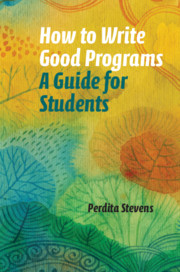
How to Write Good Programs
- A Guide for Students
-
- Published online:
- 10 July 2020
- Print publication:
- 23 July 2020
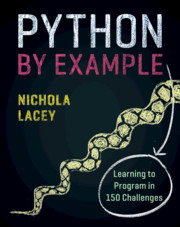
Python by Example
- Learning to Program in 150 Challenges
-
- Published online:
- 28 May 2019
- Print publication:
- 16 May 2019
What Next?
-
- Book:
- Python by Example
- Published online:
- 28 May 2019
- Print publication:
- 16 May 2019, pp 169-169
-
- Chapter
- Export citation
Some Tips
-
- Book:
- Python by Example
- Published online:
- 28 May 2019
- Print publication:
- 16 May 2019, pp 6-8
-
- Chapter
- Export citation
Challenge 150 - Art Gallery
- from Part II - Chunky Challenges
-
- Book:
- Python by Example
- Published online:
- 28 May 2019
- Print publication:
- 16 May 2019, pp 164-168
-
- Chapter
- Export citation
Image Credits
-
- Book:
- Python by Example
- Published online:
- 28 May 2019
- Print publication:
- 16 May 2019, pp vi-vi
-
- Chapter
- Export citation
Challenges 45–51 - While Loop
- from Part I - Learning Python
-
- Book:
- Python by Example
- Published online:
- 28 May 2019
- Print publication:
- 16 May 2019, pp 40-44
-
- Chapter
- Export citation
Challenges 111–117 - Reading and Writing to a .csv File
- from Part I - Learning Python
-
- Book:
- Python by Example
- Published online:
- 28 May 2019
- Print publication:
- 16 May 2019, pp 91-98
-
- Chapter
- Export citation
Challenges 133–138 - More Tkinter
- from Part I - Learning Python
-
- Book:
- Python by Example
- Published online:
- 28 May 2019
- Print publication:
- 16 May 2019, pp 124-133
-
- Chapter
- Export citation
Challenge 149 - Times Table (GUI)
- from Part II - Chunky Challenges
-
- Book:
- Python by Example
- Published online:
- 28 May 2019
- Print publication:
- 16 May 2019, pp 161-163
-
- Chapter
- Export citation
Challenges 69–79 - Tuples, Lists and Dictionaries
- from Part I - Learning Python
-
- Book:
- Python by Example
- Published online:
- 28 May 2019
- Print publication:
- 16 May 2019, pp 58-66
-
- Chapter
- Export citation
Challenges 35–44 - For Loop
- from Part I - Learning Python
-
- Book:
- Python by Example
- Published online:
- 28 May 2019
- Print publication:
- 16 May 2019, pp 35-39
-
- Chapter
- Export citation
Challenges 12–19 - If Statements
- from Part I - Learning Python
-
- Book:
- Python by Example
- Published online:
- 28 May 2019
- Print publication:
- 16 May 2019, pp 17-23
-
- Chapter
- Export citation
Glossary
-
- Book:
- Python by Example
- Published online:
- 28 May 2019
- Print publication:
- 16 May 2019, pp 170-181
-
- Chapter
- Export citation
Challenges 80–87 - More String Manipulation
- from Part I - Learning Python
-
- Book:
- Python by Example
- Published online:
- 28 May 2019
- Print publication:
- 16 May 2019, pp 67-71
-
- Chapter
- Export citation
Contents
-
- Book:
- Python by Example
- Published online:
- 28 May 2019
- Print publication:
- 16 May 2019, pp v-v
-
- Chapter
- Export citation
Challenge 148 - Passwords
- from Part II - Chunky Challenges
-
- Book:
- Python by Example
- Published online:
- 28 May 2019
- Print publication:
- 16 May 2019, pp 156-160
-
- Chapter
- Export citation
Frontmatter
-
- Book:
- Python by Example
- Published online:
- 28 May 2019
- Print publication:
- 16 May 2019, pp i-iv
-
- Chapter
- Export citation