Book contents
- Redemption
- Reviews
- Redemption
- Copyright page
- Dedication
- Contents
- Preface
- Note on the Text
- Additional material
- 1 Catastrophe
- 2 The Long Road Back
- 3 The Resistance
- 4 The Decision
- 5 Leyte Gulf
- 6 The Battle for Leyte
- 7 The Invasion of Luzon
- 8 The Battle of Manila
- 9 Clearing Luzon
- 10 The Central and Southern Philippines
- 11 Rebirth
- Acknowledgments
- Figures
- Maps
- Abbreviations
- US Division Nicknames
- Note on Sources
- Notes
- Index
1 - Catastrophe
Published online by Cambridge University Press: 14 August 2025

Book contents
- Redemption
- Reviews
- Redemption
- Copyright page
- Dedication
- Contents
- Preface
- Note on the Text
- Additional material
- 1 Catastrophe
- 2 The Long Road Back
- 3 The Resistance
- 4 The Decision
- 5 Leyte Gulf
- 6 The Battle for Leyte
- 7 The Invasion of Luzon
- 8 The Battle of Manila
- 9 Clearing Luzon
- 10 The Central and Southern Philippines
- 11 Rebirth
- Acknowledgments
- Figures
- Maps
- Abbreviations
- US Division Nicknames
- Note on Sources
- Notes
- Index
Summary
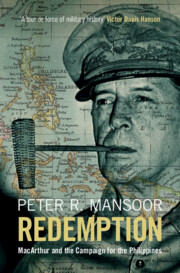
The Philippines campaign was the largest and costliest waged by the US armed forces in the Pacific during World War II. Central to the campaign is the role played by General Douglas MacArthur, one of the most controversial military leaders in US history. In 1941, Roosevelt needed a commander in the Philippines who could unify the American and Filipino forces and provide the needed energy and strategic acumen to defend the islands against a Japanese invasion. On the same day he signed the embargo against Japan in July 1941, Roosevelt reinstated MacArthur as a general in the US Army and gave him command of a new organization, the US Army Forces in the Far East, which would control all US and Philippine army forces in the region. MacArthur formed a staff, the “Bataan Gang,” that would support him over the long war to come. In the fighting of 1941–1942, MacArthur badly bungled the defense of the Philippines, resulting in the largest mass surrender of forces in US history. MacArthur was able to escape to fight another day in Australia, but, for the troops left behind, three years of desultory and brutal life in Japanese prison camps awaited.
Keywords
Information
- Type
- Chapter
- Information
- RedemptionMacArthur and the Campaign for the Philippines, pp. 1 - 50Publisher: Cambridge University PressPrint publication year: 2025
Accessibility standard: WCAG 2.1 AA
Why this information is here
This section outlines the accessibility features of this content - including support for screen readers, full keyboard navigation and high-contrast display options. This may not be relevant for you.Accessibility Information
The PDF of this book
complies with version 2.1 of the
Web Content Accessibility Guidelines
(WCAG), covering newer accessibility requirements and improved
user experiences and achieves the intermediate
(AA)
level of WCAG compliance, covering a wider range of accessibility requirements.
Content Navigation
Table of contents navigation
Allows you to navigate directly to chapters, sections, or non‐text items through a linked table of contents, reducing the need for extensive scrolling.
Allows you to navigate directly to chapters, sections, or non‐text items through a linked table of contents, reducing the need for extensive scrolling.
Reading Order & Textual Equivalents
Single logical reading order
You will encounter all content (including footnotes, captions, etc.) in a clear, sequential flow, making it easier to follow with assistive tools like screen readers.
You will encounter all content (including footnotes, captions, etc.) in a clear, sequential flow, making it easier to follow with assistive tools like screen readers.
Short alternative textual descriptions
You get concise descriptions (for images, charts, or media clips), ensuring you do not miss crucial information when visual or audio elements are not accessible.
You get concise descriptions (for images, charts, or media clips), ensuring you do not miss crucial information when visual or audio elements are not accessible.
Full alternative textual descriptions
You get more than just short alt text: you have comprehensive text equivalents, transcripts, captions, or audio descriptions for substantial non‐text content, which is especially helpful for complex visuals or multimedia.
You get more than just short alt text: you have comprehensive text equivalents, transcripts, captions, or audio descriptions for substantial non‐text content, which is especially helpful for complex visuals or multimedia.
Visual Accessibility
Use of colour is not sole means of conveying information
You will still understand key ideas or prompts without relying solely on colour, which is especially helpful if you have colour vision deficiencies.
You will still understand key ideas or prompts without relying solely on colour, which is especially helpful if you have colour vision deficiencies.
Structural and Technical Features
ARIA roles provided
You gain clarity from ARIA (Accessible Rich Internet Applications) roles and attributes, as they help assistive technologies interpret how each part of the content functions.
You gain clarity from ARIA (Accessible Rich Internet Applications) roles and attributes, as they help assistive technologies interpret how each part of the content functions.